Smart Formatter Best Practices for Clean and Maintainable Code
Introduction
In modern development environments, whether it's software engineering, web development, or collaborative programming projects, multiple developers often work on the same codebase. This can lead to inconsistent structure, messy implementation, and difficulty in understanding logic. A Smart Formatter helps solve this problem by ensuring that code is clean, well-organized, and easy to read. Using a proper code beautifier improves collaboration, reduces errors, and makes maintaining and scaling projects much easier.
What is a Smart Formatter?
A Smart Formatter is a tool that automatically organizes code into a clean and readable structure using consistent indentation, spacing, naming patterns, and formatting rules. This code styling tool ensures that developers write uniform and structured code that is easier to understand, debug, and maintain. A well-structured codebase improves readability and keeps the entire project consistent.
Simple Steps to Use a Code Beautifier
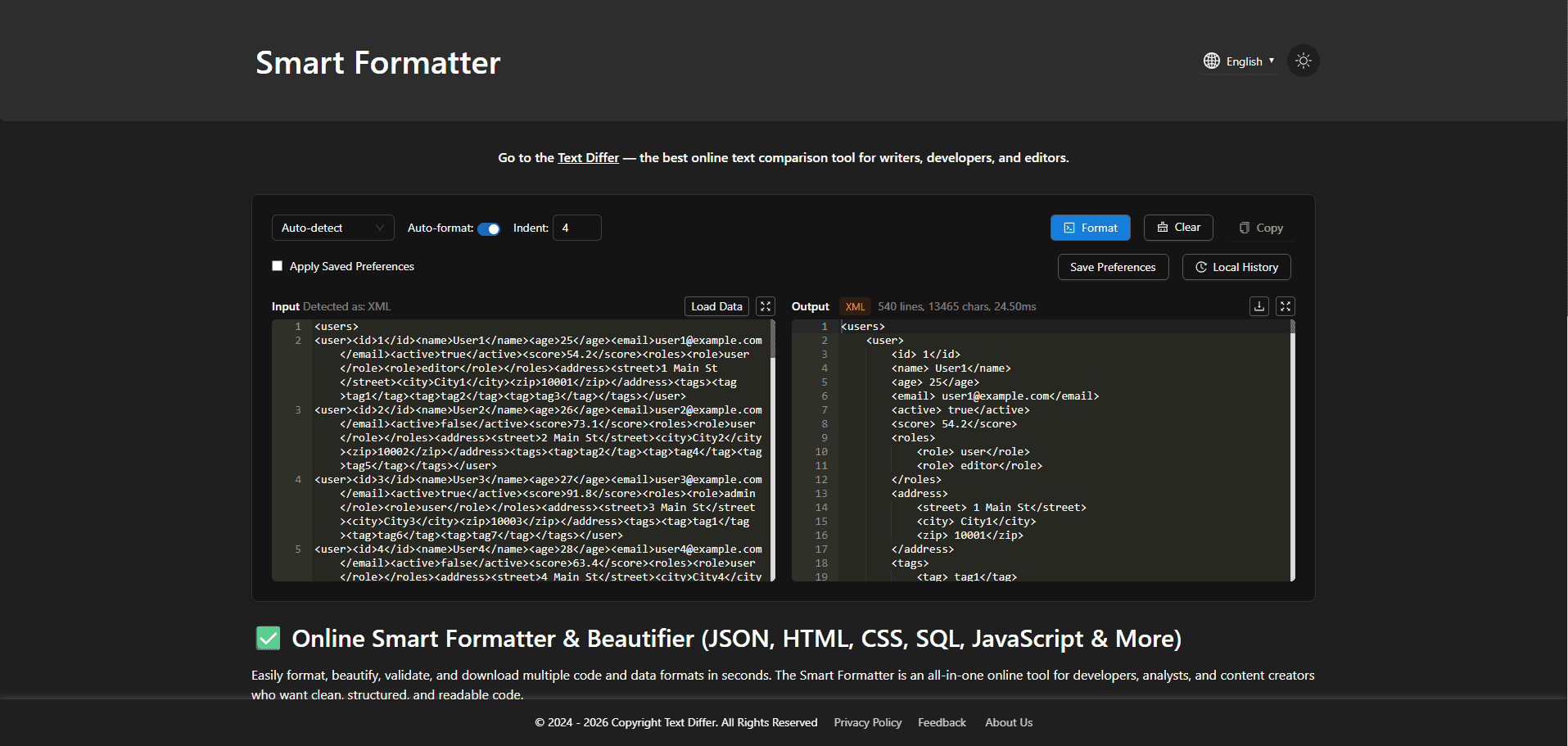
- Write or paste your code into the tool's input editor.
- Apply automatic formatting rules to instantly organize and structure the code properly.
- Ensure consistent indentation, spacing, and alignment are applied throughout the file.
- Review the formatted output carefully to check clarity, structure, and readability.
- Make small manual adjustments if needed to match your project standards.
- Save or export the final clean and optimized version of your code for further use.
Key Features of a Code Styling Tool
- Automatic Structure Improvement: Organizes messy code into a clean format instantly.
- Consistent Layout: Maintains uniform spacing and indentation across files.
- Better Readability: Makes code easier to understand at a glance.
- Multi-Language Support: Works with different programming languages.
- Error Reduction Support: Helps identify unclear or poorly structured code sections.
- Developer-Friendly Interface: Simple and easy-to-use design for quick formatting.
Benefits of Using a Smart Code Organizer
- Time Efficiency: A smart code organizer saves time by automatically fixing and structuring messy code. It removes the need for manual formatting, allowing developers to quickly clean up code and focus on actual development work.
- Higher Code Quality: It improves overall code quality by maintaining a consistent structure across the project. This reduces formatting mistakes and makes the code more stable and easier to manage.
- Better Collaboration: A smart code organizer ensures all developers follow the same coding style. This creates consistency in team projects and makes code reviews and collaboration much smoother.
- Improved Readability: It makes code easier to read by properly arranging lines, spacing, and structure. This helps developers quickly understand logic and work more efficiently on existing code.
- Increased Productivity: With automatic formatting handled by the tool, developers can focus more on writing features instead of fixing style issues. This improves overall speed and productivity.
Conclusion
A Smart Formatter plays a crucial role in building clean, structured, and maintainable software. By using a reliable code organizer tool, developers can improve readability, reduce errors, and enhance collaboration. Whether working individually or in a team, adopting automated formatting practices ensures long-term code quality and efficiency.